
Supplier Onboarding: Process, Checklist and Best Practices

What is supplier onboarding?
Supplier onboarding is the process of collecting and checking a new supplier’s information, approving the supplier, and setting the supplier up in your systems so you can place orders and make payments. Many companies say vendor onboarding, and it means the same thing.
Onboarding is also where supplier problems can be stopped. If the checks are weak, you find out about the problem after the contract is signed and production depends on the supplier. If the process is too slow or too heavy, your colleagues will find ways around it and buy from suppliers who have not been checked.
Short answer. Good supplier onboarding follows four rules:
- Every new supplier comes in through one process
- The number of checks depends on the supplier's risk
- Suppliers enter their own details, and you verify them
- Someone in procurement tracks each supplier until setup is finished
Key takeaways
| Topic | Key point |
|---|---|
| Time | Graphite’s 2026 benchmark found an average of 18.8 days, ranging from under 3 days to more than 91 days |
| Cost | A Hackett Group study, reported by HICX, puts labor at over $1 million a year for a median company with $5 billion in annual spend |
| Tools | The same study found that 50% of companies mainly use email, Word, Excel or ERP systems for onboarding |
| Risk | Use more checks for high-risk suppliers and fewer for low-risk suppliers |
| Sourcing events | Suppliers in an RFP or reverse auction need clear requirements, clear rules and a working login. Full setup can wait until they win business |
Why does supplier onboarding matter?
Supplier onboarding matters because it affects risk, cost and how quickly you can start buying.
Risk. Wenger, a US processing equipment manufacturer, lost close to $1 million with a supplier that could not deliver the quality or production it needed. Its procurement director said that, before the process changed, anyone who wanted to onboard a supplier “just negotiated everything and then asked us to place the PO” (Graphite customer story).
Cost. A Hackett Group study, reported by HICX, says a median company with $5 billion in annual spend onboards about 2,600 suppliers a year. That work costs over $1 million a year in labor. The study estimates that better processes save about half of this, or roughly $500,000 a year.
Speed. The same study says onboarding a high-risk supplier without a risk assessment can take up to 50 days. If your business needs a new supplier quickly, that delay can hold up a project. It also tempts people to skip the process.
Payment and record errors. Wrong bank details, duplicate supplier records and missing tax details cause problems long after onboarding. Finance deals with payment errors, and your spend reports become less reliable.
What are the steps in the supplier onboarding process?
The process has seven steps. A low-risk supplier can move through them quickly, but you should still use the same steps every time.
1. Receive a request for the new supplier
The person who wants the supplier fills in a short request. It should say what is being bought, the expected spend, and why an existing supplier cannot do the work. This step stops duplicate suppliers and stops people adding a supplier after the deal is already done.
2. Decide the supplier’s risk level
Use the spend, the category and the supplier’s access to your data or sites to decide the risk level. A supplier of office stationery does not need the same checks as a supplier of a critical component or a supplier that will hold your customer data. Without this step, you either over-check small suppliers or under-check important ones.
3. Collect information and documents
Ask suppliers to enter their own details through an online form or portal. They know their details best, and you avoid retyping them. Ask only for what you will use. Long forms lead to incomplete answers and delays.
4. Carry out checks
Verify what the supplier has told you. The checks depend on the risk level and can cover the areas below.
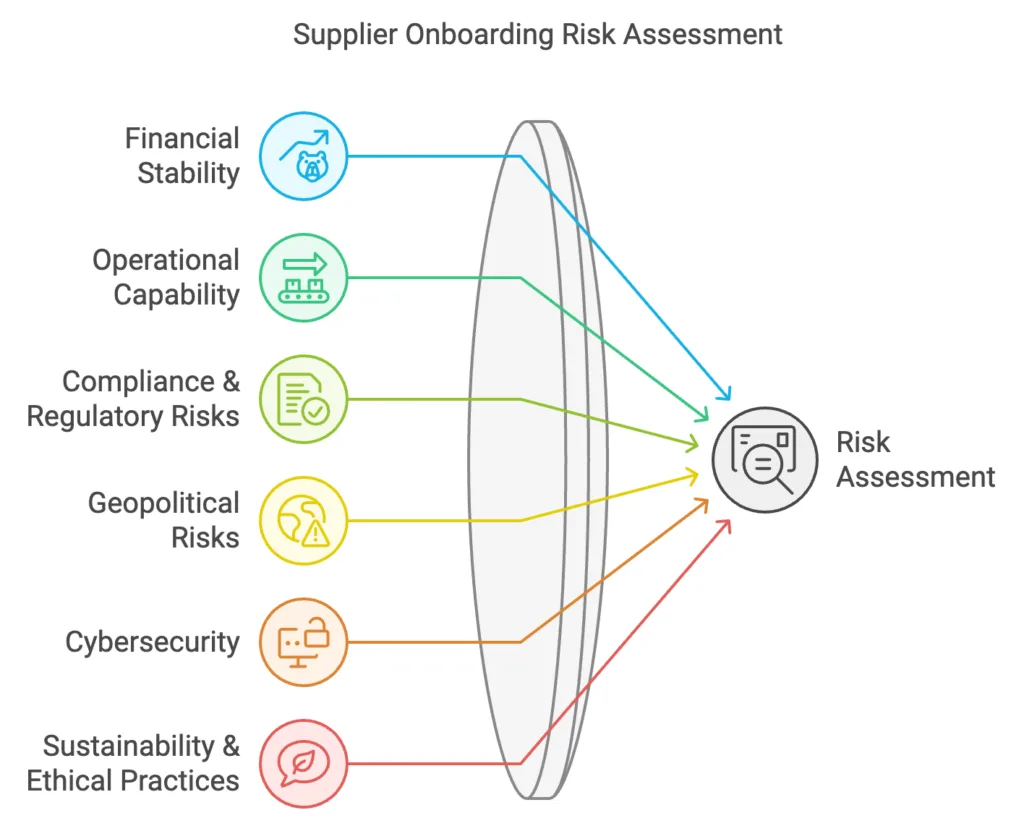
Do not assume that these checks are already happening. In a 2019 PYMNTS and Corcentric study of 1,040 accounts payable professionals, 65.9% said their onboarding included credit information, but only 30.7% checked ownership structures and 26.7% checked international sanctions.
Check bank details separately. Call the supplier on a phone number you have confirmed yourself. Do not use a number taken from the same email as the bank details. Do the same each time a supplier asks to change its bank account, because fake change requests are a common way to steal payments.
5. Get approval
Decide who must approve each risk level. Procurement can approve a low-risk supplier. A high-risk supplier may also need sign-off from finance, legal, quality or information security. Set a time limit for each approver, and record each decision and the reason for it. In many companies, this is where onboarding gets stuck, because nobody knows whose turn it is.
6. Agree the contract
Use standard templates for each type of purchase. The contract should state what will be delivered, the payment terms, the performance measures, the compliance requirements and how disputes will be handled. Electronic signatures and one place to store contracts save time. See our guide to contract lifecycle management for more.
7. Set the supplier up and show it how to work with you
Add the supplier to your ERP and any other systems. Check that supplier fields match between systems and test the setup before the first order. High-volume suppliers may need an API or EDI connection to exchange orders and invoices.
Then explain how the supplier should work with you: how orders are placed, where to send invoices, when payment is due and who to call. Suppliers who are never told these basics send more invoice queries and more payment complaints.
What should a supplier onboarding checklist include?
Use this list as a starting point, and ask only for the items that match the supplier’s risk level.
| Area | What to collect |
|---|---|
| Company details | Legal name, registered address, registration number and main contacts for sales, support and accounts |
| Tax | Tax registrations, such as GST and PAN in India or a Form W-9 in the US |
| Bank | Bank account details and proof of the account, such as a cancelled cheque or a letter from the bank |
| Capability | Products or services offered, capacity, sites and references from other customers |
| Quality and compliance | Quality certificates, licences, insurance and signed code of conduct |
| Financial health | Audited financial statements and a credit report for higher-risk suppliers |
| Ownership | Who owns the company, and the results of sanctions checks |
| Information security | Security certificates or a security questionnaire, if the supplier will access your data or systems |
| Sustainability | Labor, environmental and ethical sourcing policies, where they apply to the category |
For more on the checks themselves, see supplier evaluation methods and supplier qualification and selection.
How do you get suppliers ready for an RFP or reverse auction?
Suppliers invited to an RFP or a reverse auction do not all need full onboarding. Most of them will not win the business, so asking for bank details and system setup at this stage wastes everyone’s time. Qualify suppliers before the event, and complete the full setup after the award.
To get suppliers ready and keep them bidding, do these things before the event starts:
- Explain the requirement clearly. Your current suppliers understand even the unstated requirements. New suppliers depend completely on what the RFP says. Explain the specifications and service levels as clearly as you can.
- Qualify suppliers first. Do not make unqualified suppliers compete against qualified ones. It is not a level playing field, and it will cause problems at the award stage.
- Explain the rules. Tell suppliers how the event works, how bids will be compared and what happens after it closes.
- State the award plan. Suppliers need to know what they can win before they bid aggressively. Say how many suppliers may receive business and what share each one can win, depending on its competitive position.
- Make sure they can use the tool. Walk new suppliers through the login and the bid screen before the event. Bidders who are learning the tool during a live auction may bid badly or not at all.
Run these steps at the RFP or RFQ stage. A reverse auction is the final negotiation step, so by then every supplier should already be qualified and should understand the requirement.
Suppliers also judge you by how you treat their bids. Follow these two rules during evaluation and award:
- If suppliers bid by lot, award by lot. A lot contains several line items, and suppliers price the lot as a whole. Do not try to split the award by line item later. This is unfair to suppliers who tried their best to be competitive at the lot level.
- Take a second look at very high or very low quotes. Do not simply remove these suppliers from the event. Discuss the pricing with them, because they may have misunderstood the specifications or requirements.
For more on earning suppliers’ trust, read why suppliers should not fear reverse auctions.
Why does supplier onboarding take so long?
Onboarding usually takes a long time because of manual work, no clear view of each supplier’s status, poor workflows and too little automation.
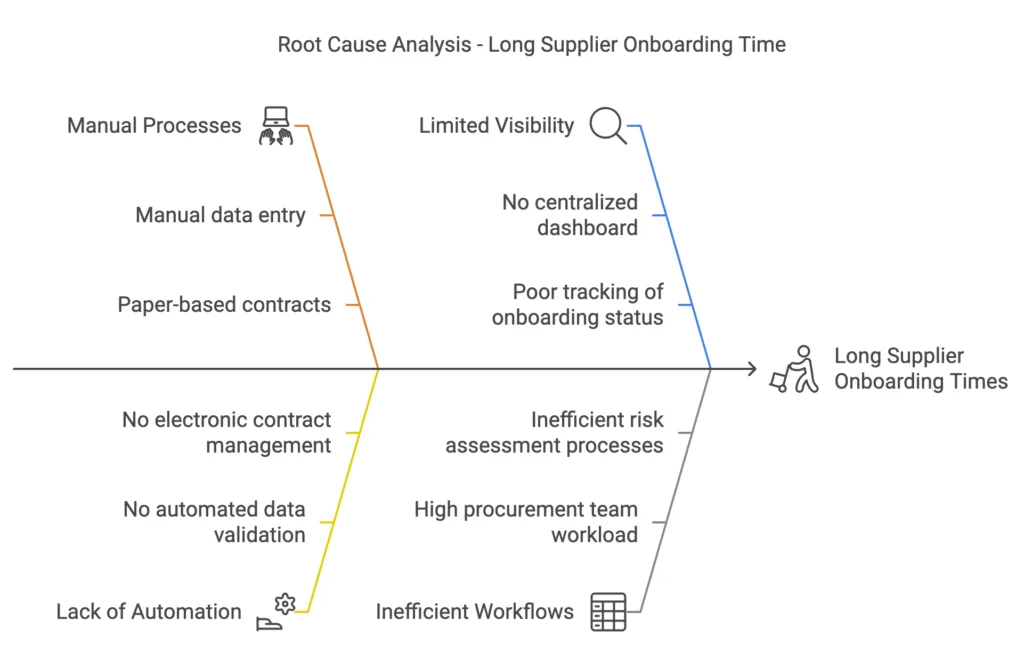
Time varies a lot between companies. Graphite’s 2026 benchmark found an average of 18.8 days, ranging from under 3 days to more than 91 days. Graphite sells supplier onboarding software, so treat this as a guide. Measure your own process first, from the supplier request until the supplier is ready for a first order.
What are the common onboarding problems, and how do you solve them?
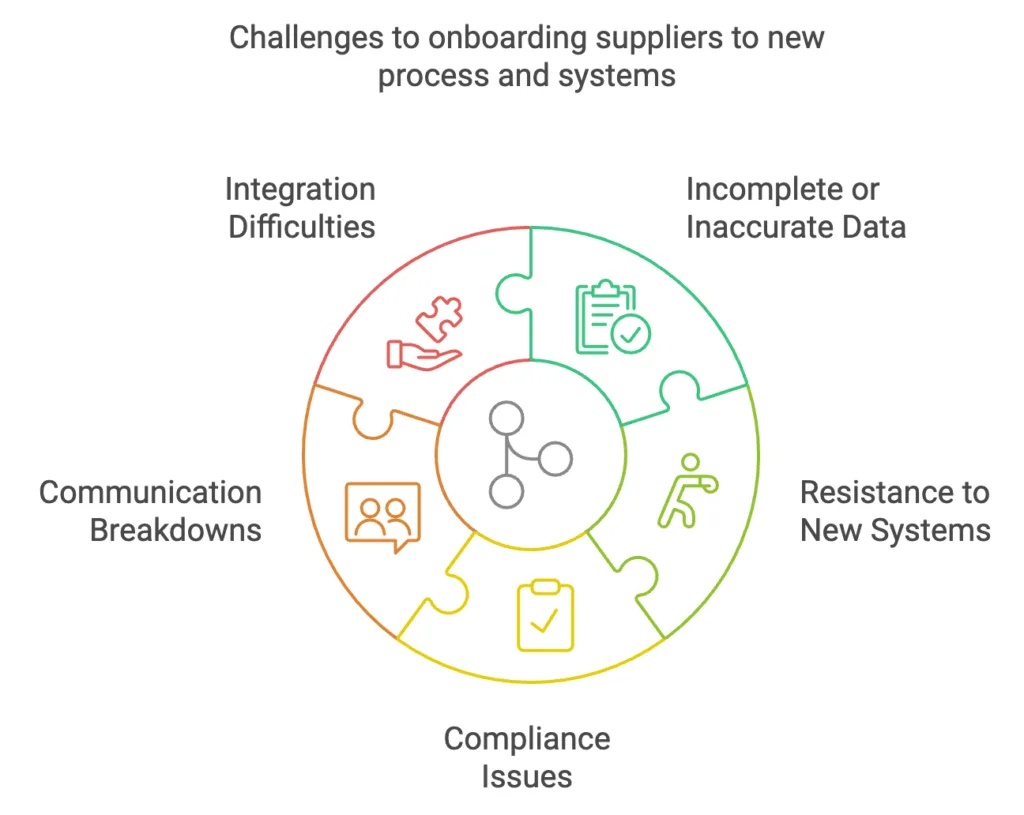
| Problem | What to do |
|---|---|
| Incomplete or wrong data | Make key fields mandatory, give an example for each field and validate entries as they are submitted |
| Suppliers resist a new system | Tell them what they gain, such as faster setup and easier payment tracking. Offer training and a person to call |
| Compliance gaps | State your requirements at the start, send renewal reminders for certificates, and repeat checks for high-risk suppliers |
| Nobody knows the status | Name one person responsible for each supplier and use one place to track progress |
| Integration problems | Test the setup before going live. Save API or EDI connections for suppliers with enough volume to justify them |
| People go around the process | Make it quick for low-risk suppliers. Block new orders for suppliers who are not set up |
What should you automate in supplier onboarding?
Automate repeated work, and leave decisions with people. A Hackett Group study, reported by HICX, found that 50% of companies mainly use email, Word, Excel or ERP systems for onboarding, and only about 35% use best-in-class point solutions or supplier self-service portals. It also found that 43% of companies that tried onboarding portals said the portals fell short of expectations. A portal will not fix an unclear process, so sort out the steps and approvers first.
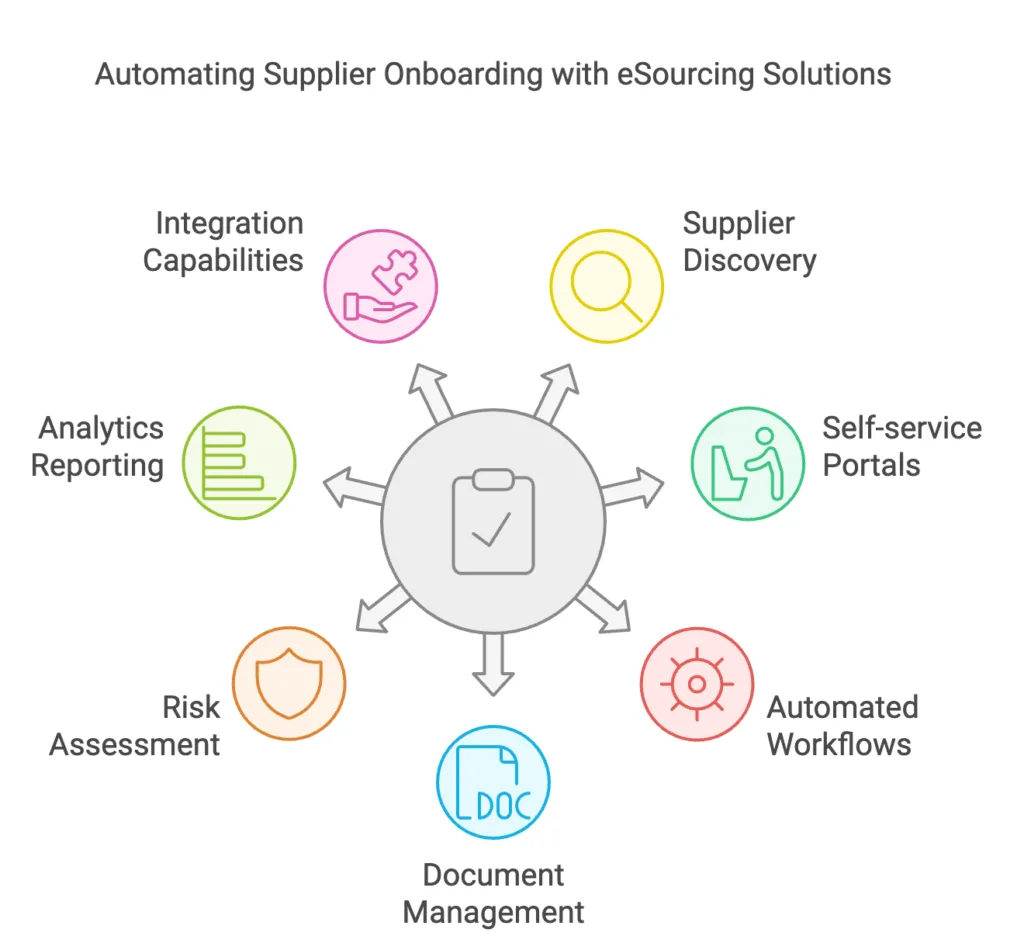
These tasks are usually good to automate:
- Checking that forms are complete and valid
- Sending each request to the right approvers
- Reminding suppliers and approvers about pending tasks
- Checking suppliers against sanctions lists
- Tracking certificate expiry dates and asking for renewals
- Passing approved supplier data to your other systems
People should decide on exceptions, high-risk suppliers and what to do when a check raises a concern. A supplier portal also helps after onboarding, because suppliers can update their own details and share documents in one place. Any change to bank details should still go through a separate check.
What do real onboarding improvements look like?
Two published customer stories show how much of the problem comes from the process itself. Both stories come from Graphite, the software vendor, so the results are as reported by that vendor and its customers.
Wenger. After its loss of close to $1 million, Wenger brought in an 18-page questionnaire in a Word document as a stop-gap. It later moved supplier data into one system, with procurement at the center of supplier decisions. Average onboarding time went from over 200 days per supplier to 50 days.
HealthEquity. Supplier data sat in several systems, with different teams and on individual computers. The security and risk teams often were not told when a new supplier was being considered. HealthEquity moved to a single questionnaire with automatic validation of tax IDs, bank data and sanctions. Its procurement director said onboarding once took as long as 12 weeks and now takes about 28 days, depending on how quickly the supplier responds.
In both cases, new suppliers went through one process and supplier information moved to one place.
How do you measure supplier onboarding?
Track a few numbers each month, and use them to find where suppliers get stuck.
| Measure | What it tells you |
|---|---|
| Time to onboard | How long a supplier takes from request to ready for a first order, split by risk level |
| Time at each step | Which step or approver is causing delays |
| Completion rate | How many suppliers finish, and where the others stop |
| Data errors | How often supplier data has to be corrected |
| Orders placed before setup | How often people are going around the process |
| Supplier feedback | Whether suppliers found the process clear |
How does Krinati support supplier onboarding?
Krinati’s supplier management module keeps one central supplier database with onboarding, document verification, categorization and performance tracking. You can approve or reject a supplier by category, and preferred or flagged tags are visible across your organization.
Suppliers join RFX events and reverse auctions from a browser and pay no fees to take part. If you want help getting suppliers ready for an event, our managed services team can help with training and event support. Talk to our team to see how this would work for your suppliers.
Frequently asked questions about supplier onboarding
What is supplier onboarding?
Supplier onboarding is the process of collecting and checking a new supplier's information, approving the supplier, and setting the supplier up in your systems so you can place orders and make payments.
Is supplier onboarding the same as vendor onboarding?
Yes. Most companies use the two terms to mean the same thing. Some use vendor for smaller or one-off purchases and supplier for longer relationships, but the process is the same.
What are the steps in the supplier onboarding process?
There are seven steps. Receive a request for the new supplier. Decide the supplier's risk level. Collect information and documents. Carry out checks. Get approval. Agree the contract. Set the supplier up in your systems and show the supplier how to work with you.
How long does supplier onboarding take?
It varies widely. Graphite's 2026 benchmark, from a supplier onboarding software company, found an average of 18.8 days, ranging from under 3 days to more than 91 days. A Hackett Group study, as reported by HICX, found that high-risk suppliers can take up to 50 days without a risk assessment.
How do you reduce supplier onboarding time?
First, measure how long each step takes, so you can see where suppliers get stuck. Then use fewer checks for low-risk suppliers and keep the full checks for high-risk suppliers. Ask only for information you will use, and have suppliers enter their own details in an online form or portal. Name one person responsible for each supplier, and set a time limit for each approver. Automate form checks, sending requests to approvers and reminders.
Suppliers invited to an RFP or reverse auction need to be qualified, but their full setup can wait until they win business. Do not save time by skipping the bank detail check.
In customer stories published by Graphite, a software vendor, Wenger cut onboarding from over 200 days to 50 days. HealthEquity cut it from as long as 12 weeks to about 28 days. Both moved new suppliers into one process and supplier information into one place.
What documents do you need to onboard a supplier?
You usually need the legal company details, tax registrations, bank details, certificates, insurance and signed policies. For a higher-risk supplier, also ask for financial statements, references and details of who owns the company.
Does every supplier in an RFP or reverse auction need full onboarding?
No. Suppliers invited to an event need to be qualified, and they need to understand the requirement, the rules and the tool. Bank details, system setup and contracts can wait until a supplier wins business.
What is the difference between supplier onboarding and supplier qualification?
Qualification decides whether a supplier can meet your requirements and should be allowed to compete. Onboarding collects the supplier's details, approves the supplier and sets the supplier up so you can buy from it.